
Cheap DVD X Show (Software) (Windows 2000, Windows XP, Windows Me, Windows NT, Windows 98, Windows 95) Price
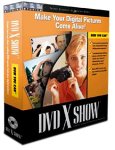
CHEAP-PRICE.NET ’s Cheap Price
Here at Cheap-price.net we have DVD X Show at a terrific price. The real-time price may actually be cheaper — click “Buy Now” above to check the live price at Amazon.com.
| PLATFORM: | Windows 2000, Windows XP, Windows Me, Windows NT, Windows 98, Windows 95 |
| CATEGORY: | Software |
| MANUFACTURER: | 321 Studios |
| FEATURES: | CD-ROM, Turn your collection of still digital photos into DVD movies, Create documentaries with pans, zooms, and fades, Automated special effects and transitions, Bring your photo collection to life, Watch your DVD X Show movie on any DVD player or PC |
| TYPE: | Computer software (programs), CD Recording (Burning, Burners) |
| MEDIA: | CD-ROM |
| # OF MEDIA: | 1 |
| UPC: | 872129001806 |
Related Products
Customer Reviews of DVD X Show
 Trouble writing DVD
 This is my third 321 product. Returned one because it simply did not work as advertised and will return this one too. DVD X Show seems to work fine up to writing a DVD. It has has been released without adequate beta testing, and their website lists blacklisted programs that interfere with their software. Do it right the first time!! There are too many standard things on PC's that interfere with its ability to write to DVD---when all of my Sonic programs do so with ease. I don't think a person should unload basic programs so a 321 program will run. I use a big machine with the right discs and virus protection is turned off. I will again try to get a refund, but last time it took nearly 6 months. Going back to them was not smart on my part.
 Terrific Value
Digital editing software costs hundreds of dollars; this one retails for 40. I agree, it's limited in scope. It would be terrific to have text capability and more transitions to work with but hey, it's cheap! I never read any help files, asked for tech support nor ran into any glitches at all and I made a terrific "movie" from pix from my digital camera with ZERO frustration. The reason I'm writing this, though, is to notify you that it doesn't Save or Export as any file type other than it's own; as far as I can tell, you can't save your work as a QuickTime movie, an AVI, MPeg or whatever else you'd like to use in some other program. That deficiency might be very important to you.
 Too limited, but a good start
Just bought/downloaded 2.2 and called to get a refund. I had been using another program that creates VCDs, not DVDs, which is the only reason I looked at DVDx Show. The zoom-in/pan features are interesting and seem to work well but overall, it is too limited for what I need. You cannot put any captions (text), nor make multiple albums, nor have any control over the music added - that is, you can add multiple songs but cannot determine the order or cut one short, fade, etc. You also have to do a lot of work to get pics that not 4:3 ratio to display properly. I work mostly with 3:2 pics and if i was to follow the recommended method in getting them to display, it would take me about 45 seconds per pic, which is way too slow. There are lots of other features that I would've liked to see but are currently not available. I'm sure they're working on these features as the company seems to be pretty responsive to suggestions. Though of course, it does take TIME to implement these suggestions - and I'm sure they're NOT as easy to incorporate as consumer assume they are.
Anyhow, if you have only a few pics and they're all 4:3 ratio (typical consumer cameras use this ratio; whereas professional 35mm cameras use 3:2, as does your typical 4" by 6" prints), and you dont care for that much control over captions and music, then this product should work fine for you. It is way too limited for me, though. I will follow their progress... perhaps in version 3 or 4, the features i'm looking for will have been implemented.